
AB Does Burner Email is Valuable For Everyone
Email testing is an important part of building and maintaining applications that rely on email. Whether you are testing account registration, email verification, password resets, notifications, or transactional messages, you need a reliable way to check whether your application is sending emails correctly. Manually creating email accounts and checking messages one by one can quickly become frustrating, especially when you are testing the same workflow repeatedly. This is where an email API can make testing much easier. By connecting your application to an API provided by a temporary email service, you can create temporary inboxes and work with test emails programmatically instead of doing everything manually. What Is an Email API? An email API allows your application or testing script to communicate with an email service through code. Instead of opening a website, generating an email address, and manually checking the inbox, your testing system can interact with the temporary email service directly through API requests. Depending on the API, you may be able to perform tasks such as creating a temporary email address, checking the inbox, retrieving incoming messages, and reading email content. This can be particularly useful for developers who need to test email-based features many times. Why Use a Temporary Email API for Testing? Consider a typical registration flow. A user enters their email address, creates a password, and submits the registration form. Your application then sends a verification email containing a link or code. If you are testing this process manually, you have to open an email service, check your inbox, find the verification message, and then return to your application. Now imagine doing that dozens or hundreds of times. With an API, much of this process can be automated. Your test can create or obtain a temporary email address, submit it to your application, retrieve the verification email through the API, extract the required information, and continue the test. This saves time and makes automated testing much more practical. How Email API Testing Works The exact implementation depends on the API you are using, but the general process is fairly straightforward. 1. Create a temporary inbox Your test starts by obtaining a temporary email address through the API. This address can then be used as the test user’s email address during registration. Because the inbox is separate from your personal email, you don’t have to use a real personal account every time you run the test. 2. Use the address in your application Your automated test enters the temporary email address into your application’s registration or signup form. Your application then behaves exactly as it would for a normal user. For example, it may create an account and send an email asking the user to verify their address. 3. Retrieve the incoming email Once your application sends the message, your test can use the email API to check the temporary inbox. The test can look for the expected message and retrieve its contents. Depending on the API and your implementation, you might inspect the sender, subject, message body, or other available information. 4. Extract the verification information If your application sends a verification code, your test can extract that code from the email. If it sends a verification link, the test can retrieve the link and use it as part of the automated workflow. This allows the entire registration process to be tested without manually opening an inbox. 5. Verify the complete workflow Finally, your test can confirm that the verification process works correctly. You can check whether the account was activated, whether the user was redirected to the correct page, or whether your application displayed the expected result. This is much more useful than simply checking whether an email was sent. It allows you to test the complete journey from registration to email delivery and verification. What Can You Test With a Temporary Email API? Email verification is only one possible use case. Developers can use temporary inboxes to test many different email-based workflows, including: User registration and email verification Password reset emails Welcome emails Account activation messages Login or security notifications Email confirmation workflows Contact and notification forms Transactional emails Email-based onboarding Automated email sequences For example, if you are developing a password-reset feature, you can create a test account with a temporary address, request a password reset, retrieve the reset email through the API, and verify that the reset link works correctly. API Testing Can Make Automated Tests More Reliable One of the biggest benefits of using an email API is repeatability. A good automated test should ideally be able to run again and again without requiring a developer to manually prepare an inbox before every test. Temporary email addresses and programmatic inbox access can help create that kind of environment. You can run the same test after making changes to your application and quickly see whether the email workflow still behaves as expected. This is especially helpful when email functionality is part of a larger automated testing or continuous integration process. Things to Consider When Using an Email API Before integrating an email API into your testing workflow, take some time to understand how the service works. Check how long temporary inboxes remain available, how incoming messages are accessed, whether there are limits on API requests, and how quickly new emails normally appear. You should also consider what information your tests are sending through the temporary inbox. Temporary email services are generally intended for testing and short-term communication. They should not be treated as a secure storage location for sensitive information, passwords, private documents, or other data that needs long-term protection. Most importantly, use the API for legitimate testing of your own applications or systems you are authorized to test. Temporary Email API vs. Manual Testing Manual email testing still has its place. Sometimes you simply want to register on your application once and visually inspect how an email looks in a real inbox. However, manual testing becomes inefficient when you
Temporary Email for Testing a New AI Tool
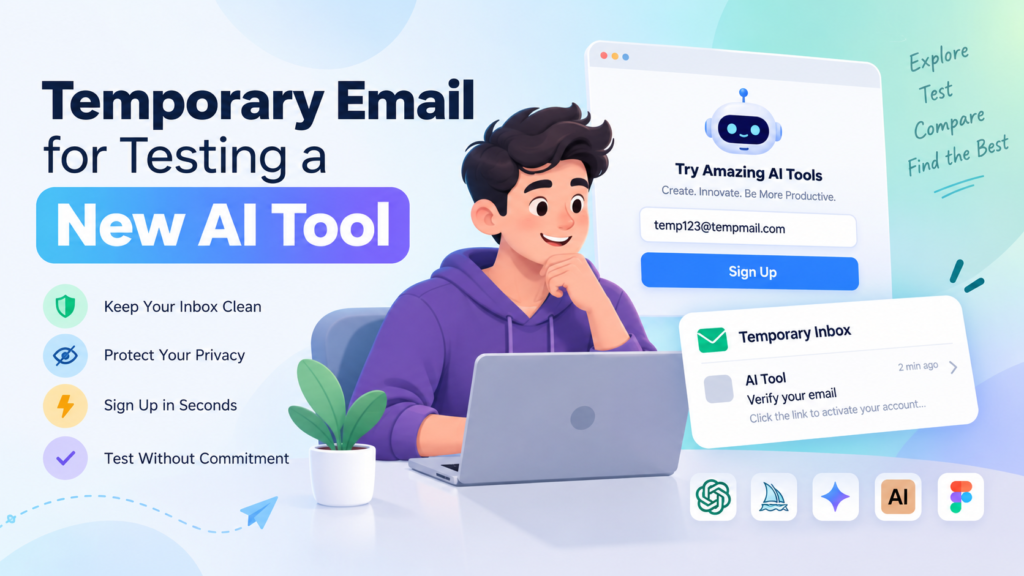
Trying a new AI tool can be exciting, especially when you want to see what it can actually do before deciding whether it is worth using regularly. But there is often one small hurdle before you can get started: email registration. Many AI tools ask you to create an account and verify your email address before giving you access to their features. If you are simply testing the tool and do not want to add another promotional email to your primary inbox, using a temporary email address can be a convenient option. A temporary email gives you a separate inbox that can receive verification emails without requiring you to use your personal or primary email address. Why Do AI Tools Require an Email Address? Most AI platforms use email registration for several reasons. An email address can help them create your account, send verification links, recover your account, and communicate important information about the service. Some platforms may also use your email address for product updates, newsletters, or marketing messages. This isn’t necessarily a bad thing. However, if you are only interested in testing an AI tool for a few minutes, giving your regular email address to every new platform you try may not be ideal. For example, imagine that you want to test five different AI writing tools, three image generators, and a few AI-powered productivity apps. Creating an account with your primary email address on every platform can quickly result in a crowded inbox. This is where a temporary email can be useful. What Is a Temporary Email? A temporary email is a disposable email address that can be used for short-term purposes such as registrations, email verification, trials, and testing. Instead of entering your personal email address, you can generate a temporary address and use it while signing up for an AI tool. When the AI platform sends a verification email, you can open the temporary inbox and access the message. You can then click the verification link or copy the verification code and continue setting up your account. There is no need to create a separate Gmail or Outlook account just because you want to try something for a few minutes. How to Use Temporary Email to Test a New AI Tool Using a temporary email for this purpose is usually straightforward. 1. Generate a temporary email address Open a temporary email service and generate a new disposable email address. You can generally use the address immediately without going through a lengthy registration process. 2. Copy the email address Copy the temporary address provided by the service. 3. Sign up for the AI tool Open the AI tool you want to test and enter the temporary email address when the website asks for your email during registration. Complete the other required fields and submit the signup form. 4. Check your temporary inbox If the AI platform sends a verification email, return to your temporary inbox. Wait for the message to arrive and open it. Depending on the platform, the email might contain a verification button, activation link, or one-time verification code. 5. Verify your account Click the verification link or enter the code provided in the email. Once the AI platform confirms your email address, you can continue testing the tool. The entire process can take only a few minutes. When Is Temporary Email Especially Useful for AI Testing? There are several situations where a disposable email address can make sense. Trying an AI tool for the first time:If you have discovered a new AI service and simply want to explore its interface and features, you may not want to use your primary email immediately. Testing multiple AI platforms:Developers, marketers, writers, designers, and other users often compare several AI tools before choosing one. A temporary inbox can keep these experimental registrations separate from your regular email. Testing free trials:Some AI services offer limited free access or trials after registration. If you are evaluating the product before deciding whether to subscribe, a temporary address can be useful for the initial testing process. Checking an AI tool’s signup process:If you are a developer or tester evaluating how a website handles registration and email verification, a disposable address provides an easy way to test the complete flow. Temporary Email Can Keep Your Main Inbox Cleaner One of the biggest advantages is simply keeping your primary inbox organized. When you sign up for several unfamiliar AI platforms, you may start receiving welcome emails, product announcements, feature updates, and promotional messages. Instead of mixing all of these messages with your important personal or work emails, you can use a separate temporary inbox when the situation allows it. This can be particularly helpful when you are exploring a large number of AI tools and don’t yet know which ones you will continue using. A Few Things to Keep in Mind Temporary email isn’t appropriate for every type of account. If you decide that you genuinely want to use an AI service long-term, it is usually better to create an account with an email address that you control permanently. You may need that address later for password recovery, account notifications, billing information, or other important communications. You should also avoid using disposable email for accounts containing sensitive information or anything you cannot afford to lose access to. Another important point is that not every website accepts temporary email addresses. Some AI platforms actively block disposable email domains. In that situation, a temporary address simply won’t work and you may need to use a regular email account. Is Temporary Email Safe for Testing AI Tools? A temporary email address can reduce the amount of personal information you share during a simple trial or signup, but it should not be treated as a complete privacy solution. Before using any AI service, consider what information you are uploading or entering into it. Your email address is only one part of your digital footprint. If you are testing an AI tool with confidential documents, private data,